Yes, you can generate passwords for test accounts in one batch, as long as each account gets a different password. Batch creation is not reuse. Sharing one password across many logins is. If a test login can reach a real service or real data, protect its password like any live secret.
Below I cover where a bulk tool helps a small QA team, a simple assignment and storage routine, and what to do if a credential leaks. The first half is for anyone creating several logins. The repository and secrets parts are aimed at developers and IT beginners.
Table of Contents

Can a bulk password generator cover your QA logins?
Yes, when every login receives its own entry. NIST SP 800-63B explains that distinct passwords help limit credential stuffing, which is when attackers take a username and password leaked from one site and try it on other sites. A list of 20 random passwords made in one session is 20 independent passwords. One password pasted into 20 QA logins is reuse.
The Bulk Password Generator on Password Ideas can produce up to 100 passwords per batch. It offers templates such as Standard, Strong and Server Strong, options for a prefix, suffix and included or excluded characters, and exports as TXT, JSON, CSV or TSV. The page describes its generation as cryptographically secure. Treat that as the site’s own claim, not an independent audit.
Know the limits. The tool supplies password candidates only. It does not create accounts, assign passwords to accounts, save account and password pairings, or manage secrets. You still do those steps in your own systems. For a broader walk-through, see the guide on how to generate unique passwords for multiple accounts at once.
How do I generate passwords for test accounts and keep track of them?
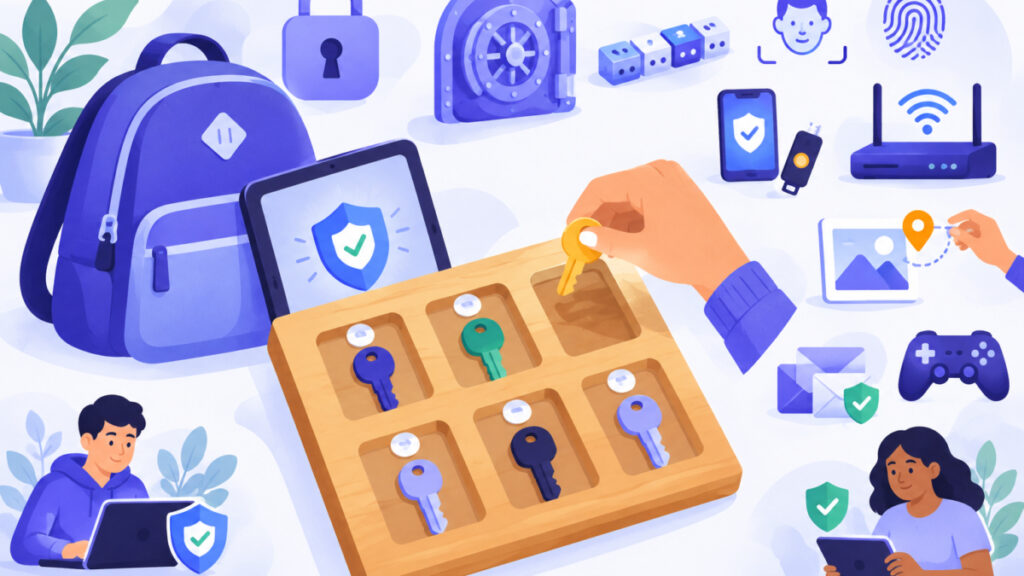
Treat the batch as a to-do list, not a finished job. Here is a routine you can follow today.
- List the QA accounts and the role each one needs. Give each account only the access its tests require. If you also need account names, the Username Generator can create batches and export them as TXT, CSV or JSON.
- Generate a batch with a few spare entries. Choose 16 or more random characters where the system allows it.
- Check that every entry you assign is distinct.
- Record each account and password pairing in an access-controlled secret store or a reputable password manager, before you change anything.
- Set each password through the normal account-creation or reset process, then sign in once to confirm it works.
- Delete the exported list file from your downloads folder once the pairings are stored.
On length, NIST’s final SP 800-63 Revision 4 (released July 2025) tells verifiers to require at least 15 characters when a password is the only factor, and allows eight when it is part of multifactor authentication. It also prohibits extra character-composition rules and routine password changes without evidence of compromise. CISA’s October 2025 guidance calls for passwords that are long, random and unique. Those are verifier requirements, so an older QA system may still cap length or reject certain symbols. Use the generator’s include and exclude options to fit it.

Is a test account password disposable?
No, not automatically. “Test account” describes what the account is for, not how valuable its credential is. If the login can sign in to a real service, reach production infrastructure or open real customer data, its password is a live secret and needs the same care as any other.
| Test account can reach | Treat its password as | Handling |
|---|---|---|
| Only an isolated test environment with fake data | A lower-risk secret | Still unique, still stored in a protected place |
| A real service or production system | A live secret | Restrict access, protect storage, rotate if exposed |
| Real customer data | A live secret | Same as above, plus review access regularly |
OWASP’s Secrets Management Cheat Sheet recommends limiting who can read secrets and separating production and development secrets where needed. Keep test and production accounts and credentials apart. A random password does not make up for an account with too many privileges. Business password ideas cover shared logins, team password managers and rotating credentials, meaning replacing them with new values, after staff changes.
How do I keep test credentials out of repositories and logs?
A repository is the folder where a project’s code and its change history live. Credentials do not belong in it. OWASP and GitHub’s documentation both advise injecting secrets through your team’s approved secret-handling workflow instead of hardcoding them in fixtures, source files, screenshots, logs or CI output. CI, short for continuous integration, means the automated builds and test runs that happen when code changes.
Do not commit a generated credential list or a populated local configuration file. A .gitignore rule helps prevent future accidental commits, but it does not erase a file that Git already tracks. Here is a minimal example with made-up file names:
# Local test credentials, never commit
.env.test.local
qa-credentials.*
For examples that you do commit, use clearly fictional, nonfunctional values, such as a sample user named example-user with the placeholder not-a-real-password. If a test needs a bcrypt hash, the Password Hash Generator can create one in your browser, which its page says runs client-side. Use it only on fictional sample values, never on a real credential.
What should I do if a test credential leaks?
Treat any usable test credential that leaks as compromised. GitHub’s remediation guidance puts revoking or rotating the secret first, and OWASP also calls for containment. Work through these steps:
- Disable the account or revoke its access if that is appropriate.
- Reset its password to a new unique value, ideally a fresh entry from your generator.
- Update the protected storage and any tests that depend on it.
- Review whether the account was used unexpectedly.
- Check any other accounts that shared the password, and any real systems or data the account could reach.
- Remove the secret from exposed locations.
Deleting a committed file is not enough. Git history and other copies, such as forks, clones or CI logs, may still hold it. That is why the reset matters more than the cleanup.
Frequently asked questions
Does the Bulk Password Generator create the test accounts?
No. It supplies password candidates only. It does not create accounts, assign passwords to them, save account and password pairings or manage secrets. You set each password in the relevant system yourself.
Can one password serve every test user?
No. Assigning the same password to several accounts is password reuse, even if you generated it carefully. Give each account its own entry from the batch.
Does deleting a leaked credential file resolve the exposure?
No. Git history and other copies may retain the file. Revoke or rotate the credential first, then remove it from exposed locations.
How long should QA test account passwords be?
Use 16 or more random characters where the system permits. NIST SP 800-63 Revision 4 requires verifiers to accept at least 15 characters for single-factor passwords, and CISA’s October 2025 guidance recommends long, random, unique passwords. Some older systems may cap length.
Are test passwords safe in a chat message or a spreadsheet?
Not if the account can reach anything real. Keep pairings in an access-controlled secret store or a reputable password manager, and limit access to the people and jobs that need them.
Should I change test passwords on a schedule?
NIST advises against routine changes without evidence of compromise. Change a password when it leaks, when you suspect exposure, or when someone who had access no longer needs it.
Is a .gitignore rule enough to protect credential files?
No. It helps prevent future accidental commits, but it does not remove a file that is already tracked in Git. Use a secret store for automated tests as well.
Next steps
To generate passwords for test accounts safely, give every login its own random password, store each pairing in a protected place, keep test and production credentials apart, and keep them out of repositories and logs. If one leaks, rotate it first and clean up second. The Password Safety Checklist is a free, printable one-page list of ten actions that fits alongside this routine.
Related tools and resources on Password Ideas:
- Bulk Password Generator
- Generate Unique Passwords for Multiple Accounts At Once
- Business
- Password Hash Generator
- Username Generator
- Password Safety Checklist (PDF)
Sources and further reading
- NIST Special Publication 800-63B
- Secrets Management – OWASP Cheat Sheet Series
- Remediating a leaked secret in your repository – GitHub Docs
- NIST SP 800-63 Digital Identity Guidelines
- Ignoring files – GitHub Docs
- cisa.gov: Poster2 Practice These Four Essentials CAMToolkit2025 508
- Secret leakage risks – GitHub Docs
- Bulk Password Generator