Is a sentence a good password? It can be, but only if it is long enough and not predictable. A sentence you made up gains length and memorability, yet natural word order, personal details and familiar phrasing can make it easier to guess than it looks. Random unrelated words are usually the safer choice.
Table of Contents

Why does a sentence you made up feel like a strong password?
A sentence is easy to remember, easy to type and usually long. That combination is appealing, and it is a real step up from a short word with a few swapped characters. NIST SP 800-63B-4, the current US digital identity guideline, was published in July 2025 and puts length ahead of complexity rules.
The catch is that length and randomness are different things. Randomness means each part was chosen without a pattern someone could anticipate. When you compose a sentence, you pick words that fit together, which is the opposite of unrelated. Saying you made it up does not prove that the words, structure or personal references are unpredictable.
Australia’s Cyber Security Centre makes this point directly. It cautions that sentences can make predictable passphrases, because ordinary word order, spaces, an opening capital letter and closing punctuation are familiar patterns. It recommends four or more random words instead. People make a similar mistake with typing chaos, which is explained in why a keyboard smash is not truly random.
Is a sentence a good password if it follows normal writing habits?
A sentence is not automatically unsafe. The risk comes from how people usually write them. Look for these warning signs in your own sentence:
- Borrowed wording. A quotation, lyric, slogan or catchphrase is public by nature, however long it is.
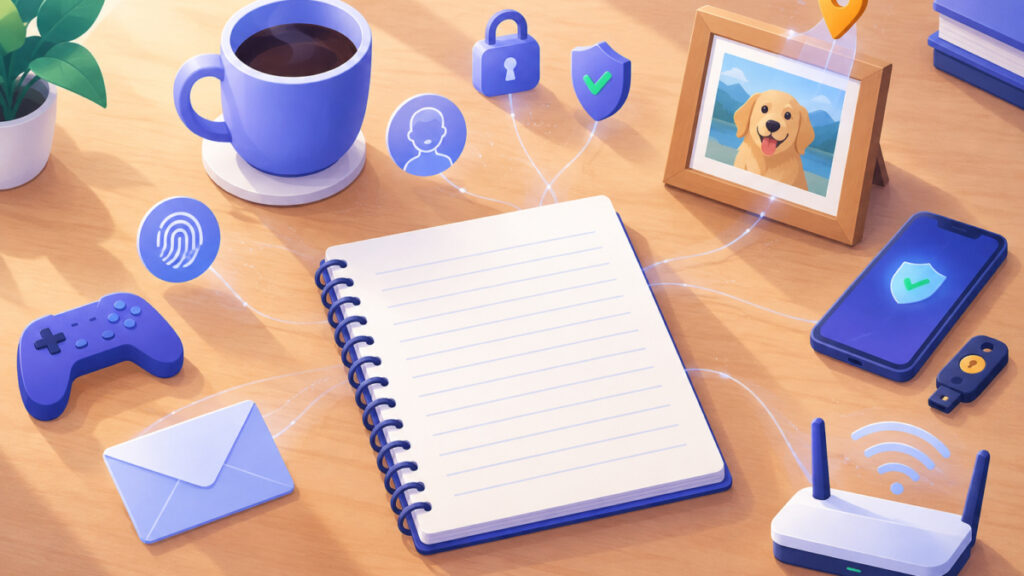
- Personal details. Names, pets, places, hobbies, teams, birthdays and anniversaries are things friends, relatives or a stranger browsing your public profiles may already know.
- A repeatable template. If every sentence you write starts the same way and ends with the same year or symbol, the template becomes the weak point.
- Familiar structure. A capital first letter, normal spacing and a full stop at the end look unique to you, but they are exactly what a typical sentence looks like.
The same reasoning applies when you mix a personal word into a random string, which is covered in adding a pet name to a generated password. A single guessable piece can undo much of the benefit of the rest.

What do NIST, the NCSC and CISA say about password length?
NIST SP 800-63B-4 is written for the systems that check passwords, called verifiers. It is not a promise that any password meeting a minimum is strong. Still, it shows what current guidance values:
- A password used as the only authentication factor must be at least 15 characters. Eight or more is allowed when the password is only one part of multifactor authentication.
- The whole password is screened against commonly used, expected or compromised passwords.
- Sites must not force character-class rules, such as one symbol and one digit, and must not force routine periodic changes.
- Sites should allow passwords of at least 64 characters and accept spaces.
NIST also notes that estimating entropy, a measure of how unpredictable a secret is, is challenging for passwords people choose themselves. That is the heart of the sentence question. A character count is easy to read, but the unpredictability of a sentence is not.
Other agencies give simple, memorable targets. The UK NCSC promotes three random words for many purposes. Australian guidance recommends four or more random words with at least 15 characters. CISA advises long, random, unique passwords and gives 16 characters as a consumer target. No fixed word count guarantees safety, so check the final length and keep the word choice genuinely random. For the detail on short combinations, see three random words and the 15-character minimum.
What does predictable versus unrelated look like?
The table below compares patterns. It does not include a password to copy. Generate your own instead of borrowing an example.
| Feature | Made-up sentence | Unrelated random words |
|---|---|---|
| Word choice | Words that belong together and read naturally | Words picked independently, with no link |
| Structure | Grammar, capital first letter, final punctuation | No grammar to rely on |
| Personal links | Often mentions people, pets, places or interests | None, if the words are truly random |
| Memory aid | Meaning helps you remember | Needs a little practice, then it sticks |
| Main risk | Predictable phrasing and reused templates | Fewer words than the account needs |
A sentence pattern might be a short statement about a pet, a place and a season, with a capital and a full stop. An unrelated-words pattern is four or more words with no connection, one separator and an optional number. If a site rejects spaces, a hyphen works, and the question of spaces or hyphens between words has its own short answer.
How can I check and replace a sentence password? Four steps
- Drop anything borrowed or personal. Do not use a quotation, lyric, catchphrase or sentence drawn from your life or public profiles.
- Generate unrelated words. The Passphrase Generator builds multi-word passphrases from a dictionary, with options for word count (four or more recommended), separator style, capitalizing the first letter and appending a number or symbol. Then check that the finished phrase meets the account’s length rules, and aim for at least 15 characters.
- Get pattern feedback. The Password Strength Checker runs in your browser and flags length, dictionary words, common patterns and keyboard sequences. Treat it as feedback, not certification. Its crack-time figure assumes 10 billion guesses per second, which is not a prediction for your account, and a checker cannot tell whether a phrase is secret or unique. Remember that crack-time estimates are only models. If you prefer, test a similar sample instead of the real password.
- Use it once, then protect it. Never reuse it. Run it through the Password Leak Checker, which uses k-anonymity, meaning only the first 5 characters of the password’s SHA-1 hash are sent. Have I Been Pwned says a password found in its data has appeared in a breach and should no longer be used, but not finding one does not prove it is novel. Turn on multifactor authentication where it is offered.
Replace a password only when you have a reason, such as a known breach or suspected compromise.
For IT beginners: why does a stolen password database change the picture?
Online guessing, where someone types attempts into a login page, can be slowed by lockouts and rate limits. An offline attack is different. A thief steals a site’s stored password data and tries guesses on their own computers with no limits. Sites should store passwords as hashes, one-way scrambled fingerprints of the password, but a predictable password can still be recovered from a stolen set. Attackers work through likely candidates first, so predictability matters more than raw character count.
If you are curious what a hash looks like, the Password Hash Generator can show hashes for text, and it runs in your browser. Use made-up sample text only, never a real password.
A long password also does not stop phishing, where you are tricked into typing it on a fake page, or a keylogger, software that records keystrokes. A passkey is a sign-in method based on cryptographic keys that resists phishing, and multifactor authentication adds another barrier.
Reuse adds another risk. Credential stuffing is when attackers try a leaked email and password pair on other sites. A sentence used everywhere is only as safe as the weakest site that stores it.
Frequently asked questions
Does adding capitals and punctuation make a sentence password safe?
Not by itself. NIST says sites must not force character-class composition rules. An opening capital and final punctuation are also common sentence patterns, so they add little unpredictability. Length and genuinely unrelated words matter more.
Can a password contain spaces?
NIST says verifiers should accept spaces, but some sites still reject them. If a site does, use a hyphen or another separator between words. The separator matters much less than the choice of unrelated words.
How many words should I use instead of a sentence?
The UK NCSC promotes three random words for many purposes, while Australian guidance recommends four or more random words and at least 15 characters. No count guarantees safety, so check the total length, keep the choice random and use a different phrase per account.
Can a strength checker tell me if my sentence is safe?
No. It can flag patterns such as dictionary words or keyboard sequences, but it cannot know whether a phrase is secret or unique. The crack-time display on the Password Ideas checker assumes 10 billion guesses per second and is not a prediction for your account.
Is a favorite quote or lyric acceptable if it is long?
I would avoid it. Quotes and lyrics are public and familiar, so their length does not make them unpredictable. Pick unrelated words instead.
Can I reuse one good sentence on several accounts?
No. If one site is breached, the same password can be tried on your other accounts. Use a different password or passphrase for each account, and store them in a reputable password manager if you cannot remember them all.
Should I change my sentence password regularly?
Not on a schedule. NIST says sites must not require routine periodic changes. Replace a password when it appears in a breach, you suspect compromise, or you realize it is predictable or reused.
Next steps
So, is a sentence a good password? Sometimes it is long enough, but being long and being unpredictable are not the same. A sentence can carry familiar phrasing, personal details and a repeatable template, while unrelated words avoid relying on natural sentence structure.
Quick recap: avoid quotes and personal details, generate unrelated words, keep the result at 15 characters or more, test it for patterns without treating the score as proof, never reuse it, and add multifactor authentication. The free Password Safety Checklist download lists the other everyday actions worth finishing this week.
Related tools and resources on Password Ideas:
- Passphrase Generator
- Password Strength Checker
- Is A Keyboard Smash A Strong Password
- Three Random Words 15 Character Password Minimum
- Are Password Crack Time Estimates Accurate
- Add Personal Word to Generated Password