How long should a pronounceable password be? Use at least 15 characters when the password protects a login by itself, and go longer when the letters follow a predictable consonant and vowel pattern. Fifteen is a minimum, not a guarantee. Strength also depends on randomness, uniqueness, and whether the site offers extra sign-in protection.
Below I explain why patterned letters need extra care, give a small hypothetical example, and show how to use the Pronounceable Password Generator with a strength check.
Table of Contents

What does current guidance say about password length?
NIST SP 800-63B-4, the current Digital Identity Guidelines for authentication, was finalized on July 31, 2025. It tells verifiers (the services that check your password when you sign in) to require at least 15 characters when a password is the only sign-in factor. When a password is just one part of a multifactor process, the minimum can be eight characters. I cover that case in my article on NIST’s eight-character minimum when a password is paired with multifactor sign-in.
These are rules for services, not a certificate that every 15-character password is strong. NIST separates length from effective strength and notes that estimating the entropy of a password a person chose is difficult. (Entropy is a measure of unpredictability, based on how many possibilities someone would have to consider.) NIST also prohibits mandatory character-type rules and requires checks against common, expected or compromised passwords. If you wonder why some sites still demand symbols, read why some sites still require symbols.
CISA’s consumer tip sheet suggests at least 16 characters and stresses randomness and a different password for every account. For a pronounceable password, I treat 15 as the floor and 16 or more as a sensible starting point.
Why do pronounceable patterns offer fewer possibilities?
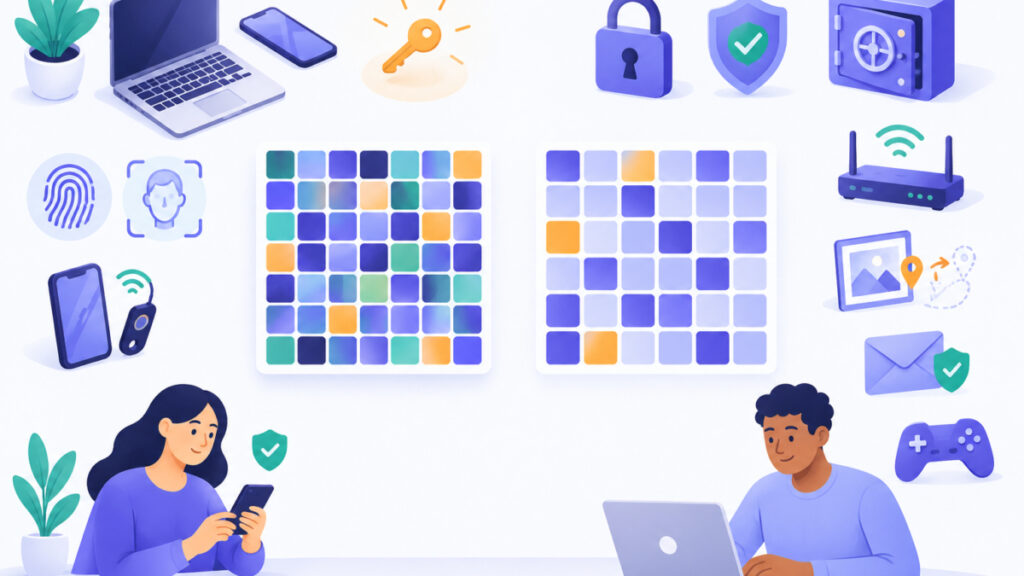
A pronounceable generator fixes which kind of letter appears in each position. In patterns such as CV, CVC, CVCV and CVCCVC, C stands for a consonant and V for a vowel. That helps you read the result aloud, but it limits the choices at every position.
Here is a hypothetical illustration, not a measurement of any real tool. Assume lowercase letters only, five vowels, 21 consonants and uniformly random picks.
| Length | Consonant-vowel pattern | Unrestricted lowercase letters |
|---|---|---|
| 2 characters | 105 | 676 |
| 4 characters | 11,025 | 456,976 |
| 6 characters | 1,157,625 | 308,915,776 |
The patterned version has far fewer possibilities, and the gap grows with each added character. Someone who knows how pronounceable passwords are built can try matching guesses first. Real results depend on a tool’s character sets, exclusions, pattern choices and any added digits or symbols, so read these numbers as arithmetic, not as a rating.
This is also why a formula based only on length and the full alphabet overstates patterned text. The Password Entropy Calculator computes length multiplied by the log of the character pool size, which assumes every position can hold any character in the pool. For patterned letters, that assumption does not hold. I explore a related gap in why a password can show high entropy but a weak strength score, and the basics are in my article on whether pronounceable passwords are secure.

How long should a pronounceable password be when the pattern is predictable?
There is no honest universal number. If a login relies on the password alone, start at 15 and go longer, as long as you can still type or store the result. Extra length helps make up for narrower choices per position, but I cannot say that any particular count is safe.
Four things shape effective strength:
- Random selection. Let the generator choose. Swapping in a familiar word, name or personal detail makes guessing easier, as I explain when discussing adding a personal word to a generated password.
- Uniqueness. Reuse lets one breach unlock other accounts through credential stuffing, which means trying leaked logins on other sites.
- Attack scenario. Rate limiting can restrain online guessing, but an offline attack on stolen password hashes (scrambled copies a site stores) has no such limit.
- Added characters. Randomly chosen digits or a symbol add possibilities. The same number and symbol typed onto every password do not add much. NIST does not require either.
For accounts that can unlock everything else, such as password ideas for email and password ideas for banking, I prefer a fully random password, and the generator page itself suggests the same for high-value accounts.
The UK NCSC’s three random words advice (published December 21, 2021) is a separate memorable approach. Its stress on random selection does not show that a pronounceable pattern is equally strong. For a comparison, see three random words and the 15-character minimum.
How do I generate and test a pronounceable password step by step?
- Open the generator and pick a pattern and a repeat count. Four repeats of CVCV give 16 letters, while three repeats give only 12. The tool generates in your browser.
- Generate a fresh result for each account. Do not edit it into a name, a word or a detail about you.
- If you use the optional appended digits and symbol, treat them as a small extra, not a replacement for length.
- Paste the result into the Password Strength Checker for feedback. It looks at length, character variety, common patterns, dictionary words and keyboard sequences, and it runs in your browser. Its crack-time figure assumes 10 billion guesses per second, which is a model, not a promise. A good rating is feedback, not proof.
- Optionally use the Password Leak Checker. It relies on k-anonymity, meaning only the first five characters of a hash are sent so the password itself stays on your device. Have I Been Pwned notes that no match does not prove a password is safe.
- Save it in a reputable password manager, never reuse it, and turn on multifactor authentication or a passkey where offered. A passkey is a sign-in method that uses a cryptographic key stored on your device and works only on the genuine site.
NIST points out that passwords, however long, are not phishing-resistant, so stay alert to fake sign-in pages.
For developers: what should a sign-up form do?
This section is for IT and web beginners. OWASP’s Authentication Cheat Sheet recommends giving users strength feedback and screening passwords against common or previously breached ones. NIST adds that forms should not impose character-type rules.
- Accept long passwords instead of capping length at a low number.
- Screen new passwords against common and breached lists.
- Rate-limit login attempts to constrain online guessing.
- Store only hashes (one-way scrambles of the password), never plain text.
To see what a stored hash looks like, the Password Hash Generator offers bcrypt and shows hash verification in your browser. It is meant for learning and testing, not for storing real user passwords.
Frequently asked questions
Is 15 characters always enough for a pronounceable password?
No. Fifteen is the NIST minimum for single-factor passwords that services must enforce, not a safe-length guarantee. Patterned letters offer fewer possibilities, so a longer result is wise when it stays practical to use.
Does adding digits or a symbol make a pronounceable password stronger?
Randomly chosen digits or a symbol add possibilities. A predictable suffix, such as the same number and symbol on every password, adds little. NIST does not require digits or symbols, so prioritize length and uniqueness.
Is eight characters fine if I use multifactor authentication?
NIST allows an eight-character minimum when a password is only part of a multifactor process. That is a rule for services. I would still choose a longer password, because the second factor can be lost or bypassed.
Is a pronounceable password as strong as random characters of the same length?
Generally no. Fixed consonant and vowel positions restrict which letters can appear, so the same number of characters has fewer possibilities than unrestricted random characters.
Should I use a pronounceable password for email or banking?
Those accounts can unlock everything else, so I prefer a fully random password or long random passphrase, plus multifactor authentication or a passkey. Pronounceable passwords suit lower-stakes accounts or situations where you must read the password aloud.
Can I change a few letters to make it easier to remember?
Avoid it. Editing a generated result toward a word or name makes it more predictable. Generate a new one instead, and store it in a reputable password manager.
Does a Very Strong rating mean my password is safe?
No. A checker gives feedback based on its own model and assumptions. It cannot know whether you reused the password, whether it was exposed elsewhere, or whether you entered it on a phishing page.
Next steps
So, how long should a pronounceable password be? Start at 15 characters for a single-factor login, lean toward 16 or more because the letter pattern narrows the choices, and remember that no count guarantees safety.
- Generate a unique pronounceable password for each account.
- Do not personalize it or add the same suffix everywhere.
- Use strength and leak checks as feedback, not proof.
- Turn on multifactor authentication or passkeys where you can.
For a printable action list, grab the Password Safety Checklist.
Related tools and resources on Password Ideas:
- Pronounceable Password Generator
- Password Strength Checker
- Are Pronounceable Passwords Secure
- NIST 8 Character Password Minimum With MFA
- Password Entropy Calculator