A pronounceable password can be an easy to type password on a phone, but only when you must type it by hand. Mostly lowercase letters may need fewer keyboard switches than letters mixed with digits and symbols. No study has shown pronounceable passwords are faster, and length and uniqueness still matter more.
As of November 18, 2026, that is the honest state of the evidence. Below I explain why, and how to try the idea yourself with the Pronounceable Password Generator.
Table of Contents
Why does switching keyboards make a phone password harder to type?
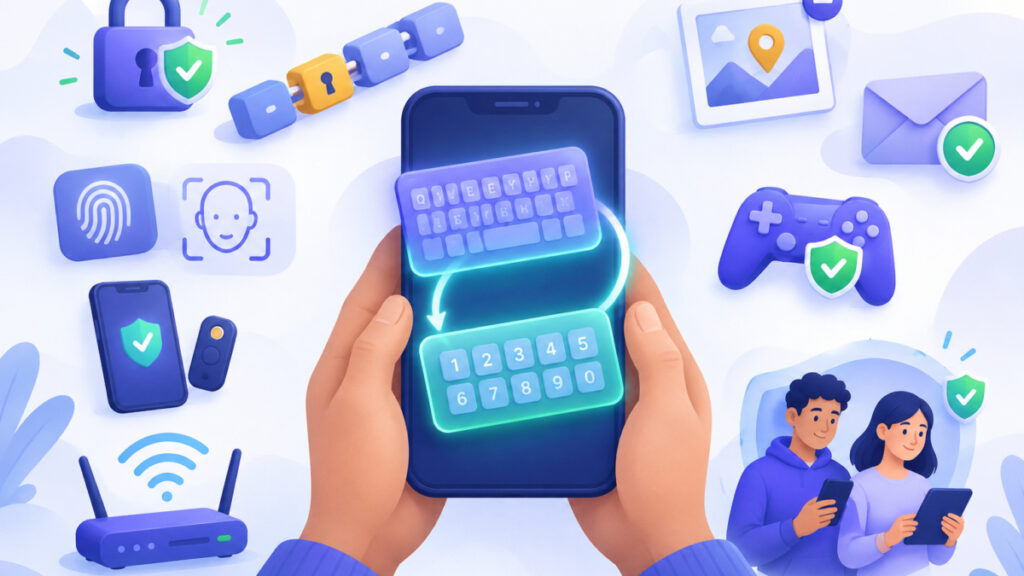
On a phone, letters, digits and symbols usually live on different onscreen keyboard layouts. A keyboard switch is the tap that moves you from one layout to another, for example from the letter keys to the number and symbol keys.
NIST looked at mobile password entry in its 2016 report NIST IR 8040. It found that onscreen keyboard changes affect the effort of entering passwords that mix letters, digits and symbols. That research studied how character types are arranged. It did not study pronounceable passwords or the Password Ideas generator, and phones and keyboards have changed since 2016.
The practical takeaway is modest. A password made mostly of lowercase letters may need fewer switches than one that mixes character types throughout. Real ease still depends on your phone, your keyboard, the exact password and you.
Current guidance also removes one reason for those mixes. NIST SP 800-63B-4, released in July 2025, prohibits services from requiring a mix of character types. For background on the older habit, read my explainer on why websites require symbols in passwords.

Is a pronounceable password an easy to type password on a phone?
It might be, and a simple count shows why. The samples below are made up for illustration. Do not use them, and generate your own instead.
| Style | Sample shape | Likely keyboard switches |
|---|---|---|
| Lowercase letters only | kabomeli | 0 |
| Letters, then digits and a symbol at the end | kabomeli47! | Often 1 |
| Digits and symbols between letter groups | kab4omel#i | About 4 |
These counts are examples on a typical layout, not measured typing times. Capital letters add shift taps, and layouts differ between phones and keyboards.
A digit or symbol added at the very end may cost fewer switches than characters scattered through the password. The Pronounceable Password Generator page describes options for appended digits, an appended symbol and optional capitalization, which suits that end-of-password pattern. That description is the site’s own claim, not an independent test of typing speed.
Length also adds taps even when no switch is needed, so a longer all-letter password is not free to type. And if autofill enters the password for you, the whole question matters much less.
Does pronounceable mean strong?
No. Easy to type does not mean hard to guess. The generator builds passwords from consonant and vowel patterns, where C means consonant and V means vowel. A fixed pattern permits fewer possible outputs than unrestricted random characters of the same length, because each position draws from a smaller group of letters.
The generator’s own page says pronounceable passwords trade some entropy for ease of recall. Entropy is a measure of unpredictability, roughly how many equally likely possibilities someone would have to consider. Fewer possible outputs means less of it at a given length.
I covered the randomness side in my article on whether pronounceable passwords are secure. The short version is that a good random source helps, but it does not remove the limit created by the pattern.
The fix is length and uniqueness, not a shortcut. NIST identifies length as a primary strength factor and cautions that estimating the strength of human-chosen passwords is difficult. So do not pick a short readable string, a familiar word, a name or a reused password just because it is comfortable to tap. Let a generator choose every character, and use a different result for each account.
How do I pick an easy to type password on a phone that is still strong?
Follow these steps and you keep the typing benefit without giving up strength.
- Check the site’s rules first. Some older sites still demand digits or symbols, even though NIST SP 800-63B-4 prohibits that requirement. Follow what the form actually accepts.
- Generate it, do not invent it. Use the generator to choose a pattern and a higher number of pattern repeats. If a password manager will fill the login, the Secure Password Generator lets you set the length and character types, so there is no consonant and vowel pattern limit.
- Aim for length. NIST SP 800-63B-4 requires services to set a minimum of 15 characters when a password is the only factor. It permits a minimum of eight only when the password is part of multifactor authentication. Those are rules for services, not guarantees that any password of that length is strong, so choose a length comfortably above any minimum.
- Test a candidate. The Password Strength Checker says it runs in your browser and estimates crack time at 10 billion guesses per second. That is one model, so treat the score as a hint. My article on crack time estimates explains the limits. If you prefer, test a sample made with the same settings rather than a password you already use.
- Check for exposure. The Password Leak Checker queries Have I Been Pwned using k-anonymity, a method that sends only a small fragment of the password’s fingerprint and never the password itself.
- Use it for one account only. Reuse is a bigger risk than any typing inconvenience.
When are autofill or a passphrase better than typing?
Autofill means your phone or app enters saved credentials for you. If a reputable password manager or the one built into your browser fills the login, you may rarely type the password at all. NIST SP 800-63B-4 calls for services to allow autofill and recommends permitting paste. The OWASP Authentication Cheat Sheet likewise advises allowing paste into password fields.
You will still type sometimes, for example on a new device or when entering a password manager’s master password. For those moments a passphrase, which is several random words joined together, may suit you. The UK NCSC’s three random words guidance gives context for memorable passwords. It is not evidence that pronounceable character patterns, or words, type faster on a phone.
The Passphrase Generator offers word count, separator style and an optional appended number or symbol. For the length question, see my article on whether three random words meet the 15-character minimum.
For IT and web beginners: what should a login form allow?
This part is for people who build or maintain sign-in pages. How you design the form decides how hard a password is to enter on a phone.
- Allow paste and autofill. NIST and OWASP both support this, and it lets password managers work.
- Skip composition rules. These are rules that force certain character types. NIST SP 800-63B-4 prohibits them.
- Set length minimums per the standard. That means 15 characters when the password is the sole factor and eight when it is part of multifactor authentication. My article on the NIST 8 character password minimum with MFA explains the difference.
- Screen new passwords. NIST requires checking them against commonly used, expected and compromised values.
These are requirements for services, not a promise that every accepted password is strong.
Frequently asked questions
Are pronounceable passwords faster to type on a phone?
Possibly, if they have fewer keyboard switches than a password mixing letters, digits and symbols. No measured result shows pronounceable passwords are faster, and the 2016 NIST research did not test them. Results vary by phone, keyboard and person.
Should I avoid digits and symbols completely?
Not necessarily. NIST SP 800-63B-4 says services must not require a mix of character types, but some sites still do. Follow the site’s actual rules. If you add them, putting them at the end may need fewer keyboard switches.
Is a phone-unlock PIN the same as an account password?
No. A phone-unlock PIN is a local secret, and NIST’s requirements for local activation secrets are separate from the minimum for centrally verified passwords. The 15-character figure does not apply to it. The PIN Generator can create a random PIN for you.
Can I use a short readable password if it is easy to type?
No. Length is a primary strength factor, and a familiar word, a name or a reused password is easy to guess or exposed in other breaches. Generate a longer, unique result and let autofill or a password manager handle the typing.
Does autofill make typing ease irrelevant?
Mostly, for sites where it works. NIST recommends services allow autofill and paste. You may still type a password on a new device or when entering a password manager’s master password, so some typing ease can still help.
Does a strength checker score prove a password is safe?
No. A checker’s score or crack-time estimate depends on its model and assumptions, and it is not a security guarantee. Use it as a hint, and combine it with length, uniqueness and two-factor authentication.
Does a longer password take more effort to type on a phone?
Yes, every extra character adds a tap, even when it needs no keyboard switch. That is why autofill and a reputable password manager are often a better answer than trying to find the most typeable long password.
Next steps
An easy to type password on a phone can be a pronounceable one, but that is a possibility, not a measured result. Typing comfort is worth something, yet length, randomness and uniqueness protect your account.
- Follow the site’s actual password rules.
- Generate your own long, unique result instead of choosing a short readable one.
- If digits or symbols are needed, consider placing them at the end to reduce keyboard switches.
- Test a candidate, and treat any score or crack time as an estimate.
- Let autofill do the typing when you can, and turn on two-factor authentication for important accounts.
For a printable list of next steps, grab the Password Safety Checklist.
Related tools and resources on Password Ideas:
- Pronounceable Password Generator
- Password Strength Checker
- Are Pronounceable Passwords Secure
- Passphrase Generator
- Why Do Websites Require Symbols in Passwords NIST
- Three Random Words 15 Character Password Minimum